Why Non-Jailbreak Tools Matter in 2026
If you’ve used an iPhone long enough, you’ve probably felt this at least once:
iOS is smooth, but it doesn’t always let you do what you want.
Over the past few years, jailbreaking has slowly faded from the spotlight. Not because people stopped wanting freedom, but because jailbreaking today comes with higher risks, faster patching, and weaker long-term stability.
At the same time, Apple has quietly changed iOS.
With iOS 17 and iOS 18, Apple locked down the system even more at the kernel level, but also left many internal settings, feature flags, and developer options accessible without a jailbreak. That opened the door for a new category of tools: non-jailbreak customization and sideloading tools.
Two names dominate this space in 2026:
They’re often compared, but here’s the truth:
They are built for very different goals.
In this guide, I’ll help you clearly understand:
- What each tool actually does (and doesn’t do)
- How much control can you realistically expect
- Where Apple’s limits still apply
- Which tool fits your use case not internet hype
Let’s break it down.
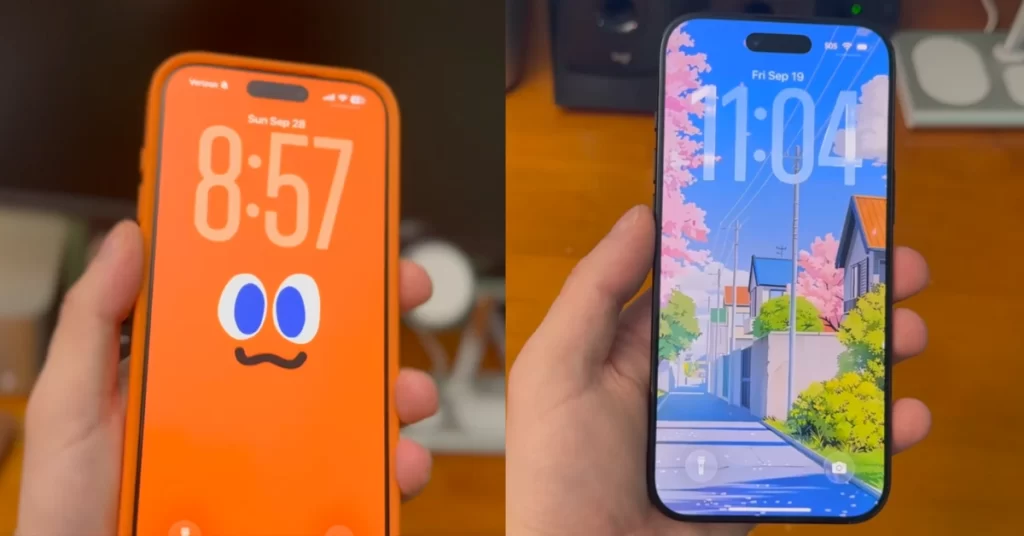
What is Nugget iOS?
The Core Idea
Nugget iOS is a non-jailbreak system customization tool.
Its purpose is simple: unlock or adjust existing iOS features that Apple hides or restricts, without modifying the operating system at a deep level.
Important to understand early:
- Nugget does not install unsigned apps
- Nugget does not replace system files
- Nugget does not exploit vulnerabilities
Instead, it works inside Apple’s own configuration layers.
Think of Nugget like this:
You’re flipping switches Apple already built but never gave you access to.
How Nugget iOS Works (High-Level)
Nugget operates by:
- Connecting your iPhone or iPad to a Mac or Windows PC
- Communicating with iOS through official frameworks
- Applying configuration changes, system preferences, or feature flags
Because of this design:
- A wired connection is required
- Changes may need re-applying after major iOS updates
- Nothing runs permanently in the background
That’s also why Nugget feels safe and native when it works.
What You Can Do With Nugget iOS
Depending on your iOS version, Nugget can enable or adjust things like:
- Hidden UI elements or animations
- System behaviors Apple doesn’t expose in Settings
- Experimental or region-restricted features
- Cosmetic and usability-focused tweaks
These are system-level changes, not apps.
If you’re expecting emulators or IPA installs, Nugget is not the tool for that.
iOS Version Support
- Designed mainly for newer iOS versions
- Works best with iOS 17 and early iOS 18 builds
- Support depends heavily on Apple’s internal changes
Sometimes an iOS update will temporarily break features until Nugget itself is updated. That’s normal for tools that rely on internal behavior rather than exploits.
Strengths and Limitations
Why do people like Nugget iOS
- No Apple ID required
- No app signing or expiration
- Very low account risk
- Changes feel native to iOS
- Minimal maintenance
Where Nugget is limited
- No third-party app sideloading
- No background services
- Requires a computer
- Limited to what Apple already allows internally
Who Nugget iOS Is Best For
Nugget iOS is ideal if you:
- Want deeper iOS customization without jailbreaking
- Prefer one-time tweaks instead of weekly maintenance
- Care more about how iOS behaves than which apps you install
What Is AltStore?
The Core Idea
AltStore is a non-jailbreak app sideloading platform.
Its job is not to change iOS behavior.
Its job is to let you run apps Apple doesn’t allow on the App Store.
That’s it.
No hidden settings.
No system tweaks.
Just apps.
How AltStore Sideloading Works
AltStore uses Apple’s free developer signing system, which allows:
- Up to 3 active sideloaded apps
- App certificates are valid for 7 days
- Refreshing through a desktop companion app
You install AltStore first, then use it to install other apps like emulators or utilities.
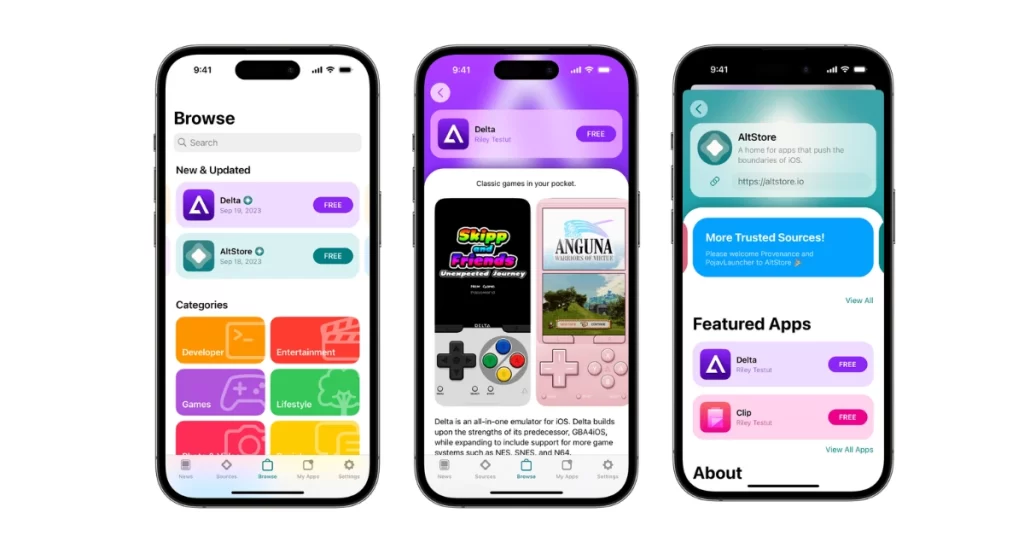
Apple ID, Refreshing, and Limits
AltStore requires:
- A personal Apple ID
- Local app signing (not cloud-based)
Apps must be refreshed every 7 days using:
- A computer, or
- Wi-Fi sync with AltServer running
Important details beginners often miss:
- AltStore itself counts as one of the 3 apps
- Expired apps won’t launch until refreshed
- Paid developer accounts remove most limits
iOS Compatibility
AltStore works across:
- iOS 17
- iOS 18
However, Apple policy changes can affect behavior at any time. That’s the trade-off of working within developer rules.
Strengths and Drawbacks
Why people love AltStore
- Access to emulators and niche apps
- Large community ecosystem
- Actively maintained
- No jailbreak required
Where AltStore can feel annoying
- Weekly refresh requirement
- Apple ID dependency
- App limits on free accounts
- No system-level customization
Who AltStore Is Best For
AltStore is perfect if you:
- Want emulators or experimental apps
- Don’t mind regular maintenance
- Value app freedom over system tweaks
Nugget iOS vs AltStore: Feature-by-Feature Breakdown
Ease of Setup
- Nugget iOS: Simple, but computer-dependent
- AltStore: More steps and ongoing setup. Winner: Nugget iOS
Type of Control
- Nugget iOS: System behavior and UI
- AltStore: Apps only Winner: Depends on your goal
App Sideloading
- Nugget iOS: Not supported
- AltStore: Core feature Winner: AltStore
System Modification
- Nugget iOS: Moderate (internal configuration level)
- AltStore: None Winner: Nugget iOS
Apple ID Risk
- Nugget iOS: No Apple ID used
- AltStore: Apple ID required Winner: Nugget iOS
Stability
- Nugget iOS: Native feel, low overhead
- AltStore: App-dependent, usually stable Winner: Tie (different risk types)
Maintenance
- Nugget iOS: Reapply after updates
- AltStore: Weekly refresh Winner: Nugget iOS
Beginner Friendliness
- Nugget iOS: Easier after setup
- AltStore: More concepts to learn Winner: Nugget iOS
Quick Comparison Table
| Feature | Nugget iOS | AltStore |
|---|---|---|
| Jailbreak Required | No | No |
| Main Purpose | System customization | App sideloading |
| Apple ID Needed | No | Yes |
| App Expiration | No | Yes (7 days) |
| Computer Required | Yes | Yes |
| System Tweaks | Yes | No |
| Emulators / IPA Apps | No | Yes |
| Maintenance | Low | High |
| Risk Level | Very low | Low |
Which Tool Should You Choose?
- Best for absolute beginners: Nugget iOS
- Best for power users: AltStore (paid developer account)
- Best for customization lovers: Nugget iOS
- Best for sideloading apps: AltStore
- Best for low-risk users: Nugget iOS
Real-World Scenarios
- Want hidden iOS features? → Nugget iOS
- Want emulators or modded apps? → AltStore
- Don’t want weekly maintenance? → Nugget iOS
- Love experimenting with apps? → AltStore
Final Verdict (2026)
There is no single winner between Nugget iOS and AltStore because they solve different problems.
Choose Nugget iOS if your goal is to improve how iOS itself behaves while keeping maximum safety and stability.
Choose AltStore if your goal is to run apps Apple doesn’t allow, even if that means more maintenance.
In 2026, freedom on iOS isn’t about breaking the system anymore.
It’s about choosing the right compromise for how you actually use your iPhone.